PrimeArt AI Studio

Create, edit and transform visuals in one AI Studio.

Generate an image from text or up to five reference photos, improve an existing picture, restore an old photograph or turn a person into a short animated clip.

Create an account · Explore image tools · View pricing

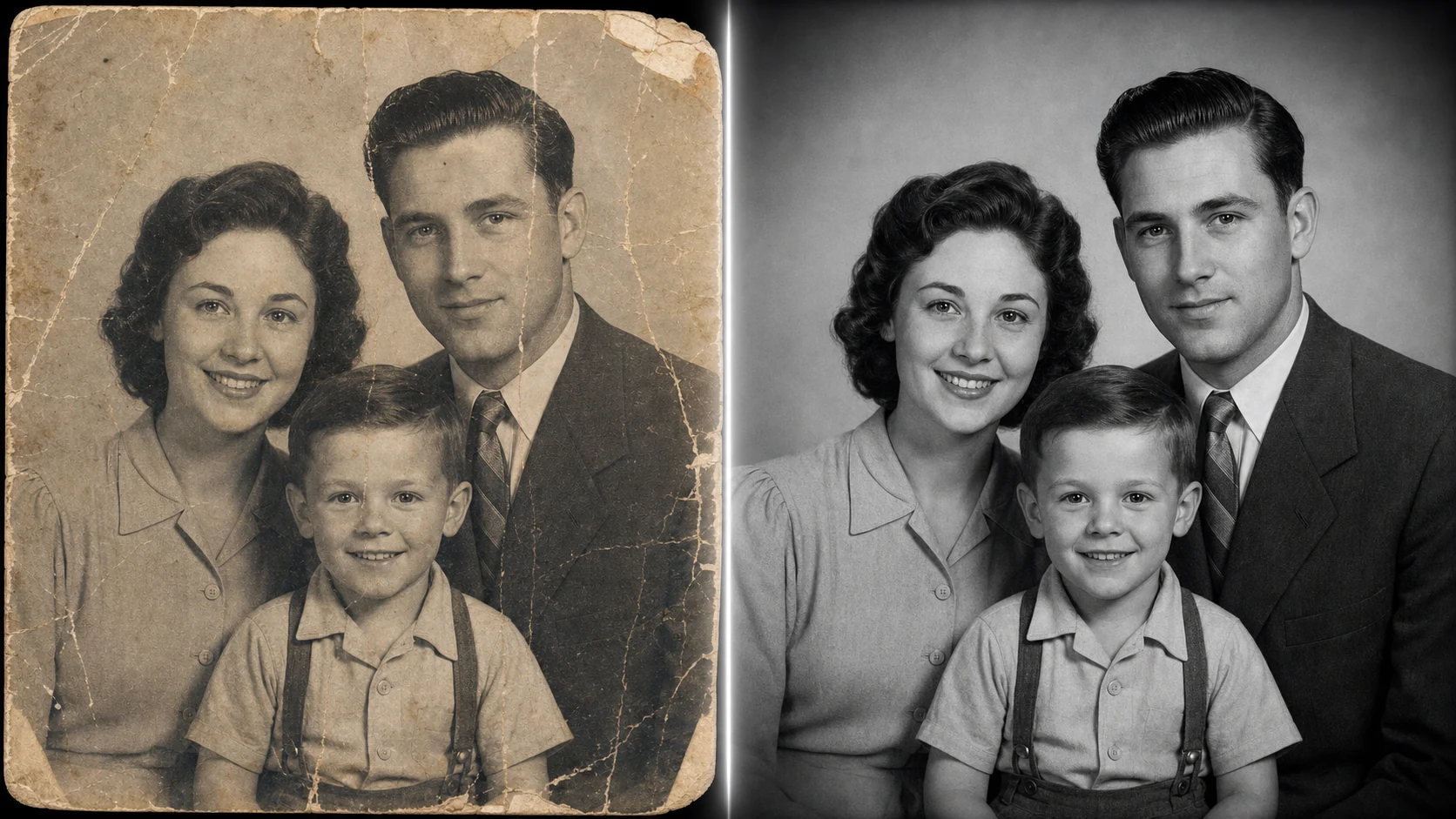
AI portrait transformation shown before and after in PrimeArt
A source portrait and a generated visual direction created in PrimeArt.

What PrimeArt can do

  • Text or up to five reference images — Start from a written description, upload your own image or use several references when the subject and visual direction need more context.
  • Formats for feeds, screens and video — Choose 1:1, 4:3, 3:4, 16:9 or 9:16 for images. Photo animation supports four-second vertical and widescreen clips.
  • Clear quality choices — Free image results include a PrimeArt watermark. Paid quality options unlock 2K and 4K output when you need a larger final file.
  • Focused photo workflows — Generate, edit, enhance, restore, change a background or explore a new portrait direction without rebuilding the brief in another product.
  • Short image-to-video motion — Animate a person from a source photo or use image-to-video and text-to-video workflows for concise 9:16 or 16:9 clips.
  • Music in the same Studio — Create a music track from 30 to 180 seconds when a visual project also needs an original audio direction.

Choose the AI workflow that matches your result

Create images

  • AI Image Generator — Create original images from a written prompt or transform a photo you already have.
  • AI Photo Generator — Generate realistic portraits, selfies and social photos with natural detail and lighting.
  • AI Avatar Generator — Turn a portrait into a distinctive avatar for profiles, gaming and online communities.
  • AI Face Swap — Place a face into a new photo or video while keeping the result recognizable.
  • AI Photo Animation for TikTok — Animate a person from one photo into a four-second dance clip in a vertical or widescreen format.
  • AI Photo Editor — Edit an existing image with plain-language instructions and a clear visual direction.
  • AI Image Generator from Image — Upload a reference image and generate a new composition, style, background or scene from it.
  • AI Art Generator — Create original illustrations, concept art and stylized visuals from text or a reference.

Portrait and identity tools

  • AI Profile Picture Generator — Make a clean, memorable profile photo for social media, communities and personal pages.
  • AI Selfie Generator — Improve an everyday selfie with better light, framing, styling and background.
  • AI Portrait Generator — Create cinematic, editorial or studio-style portraits from a photo or description.
  • AI Glow Up Photos — Explore a polished new look while keeping skin and facial details believable.
  • AI Dating Profile Photos — Create warm, natural-looking profile photos with a clear face and approachable expression.

Edit, restore and market

  • AI Product Image Generator — Turn a product photo into lifestyle scenes, campaign concepts and ecommerce visuals.
  • AI Ad Generator — Create static ad concepts and campaign visuals from a product photo and creative direction.
  • AI Background Generator — Generate a new background around a subject or product while keeping the composition useful.
  • AI Photo Enhancer — Improve sharpness, detail, light and color in an existing image.
  • Photo Restoration AI — Repair scratches, fading and damage in old or important photographs.
  • AI Wallpaper Generator — Generate original backgrounds for phones, desktops and visual moodboards.

How PrimeArt works

  1. Add a photo or describe the image — Upload a clear reference when the result should resemble a person or object, or begin with a written description.
  2. Choose the result you need — Generate a new image, create a portrait, improve an existing photo, restore an old picture or move into video and music.
  3. Generate, compare and refine — Keep the strongest result, adjust the prompt or source image, and create another version when you want a different look.

PrimeArt frequently asked questions

What can I create with PrimeArt?
You can generate images from text, transform photos, create portraits and avatars, enhance or restore pictures, swap faces, make short videos and generate music inside one Studio.
Can I use my own photo?
Yes. Uploading your own photo is the best starting point for recognizable portraits, profile pictures, avatars, edits, enhancements and restorations.
Do I need an account to use Studio?
Yes. Create an account or sign in before opening Studio. Your generations, files and credit balance stay connected to that account.
How do I get a more natural result?
Use a clear source photo, describe the light, background and framing you want, and avoid combining too many style changes in one prompt. You can then refine the strongest version.

Start with the image you need

Open a focused guide, prepare a clear prompt or reference photo, then create an account to continue in Studio.

Edit a photo · Restore an old photo · Create product visuals · Browse prompt ideas