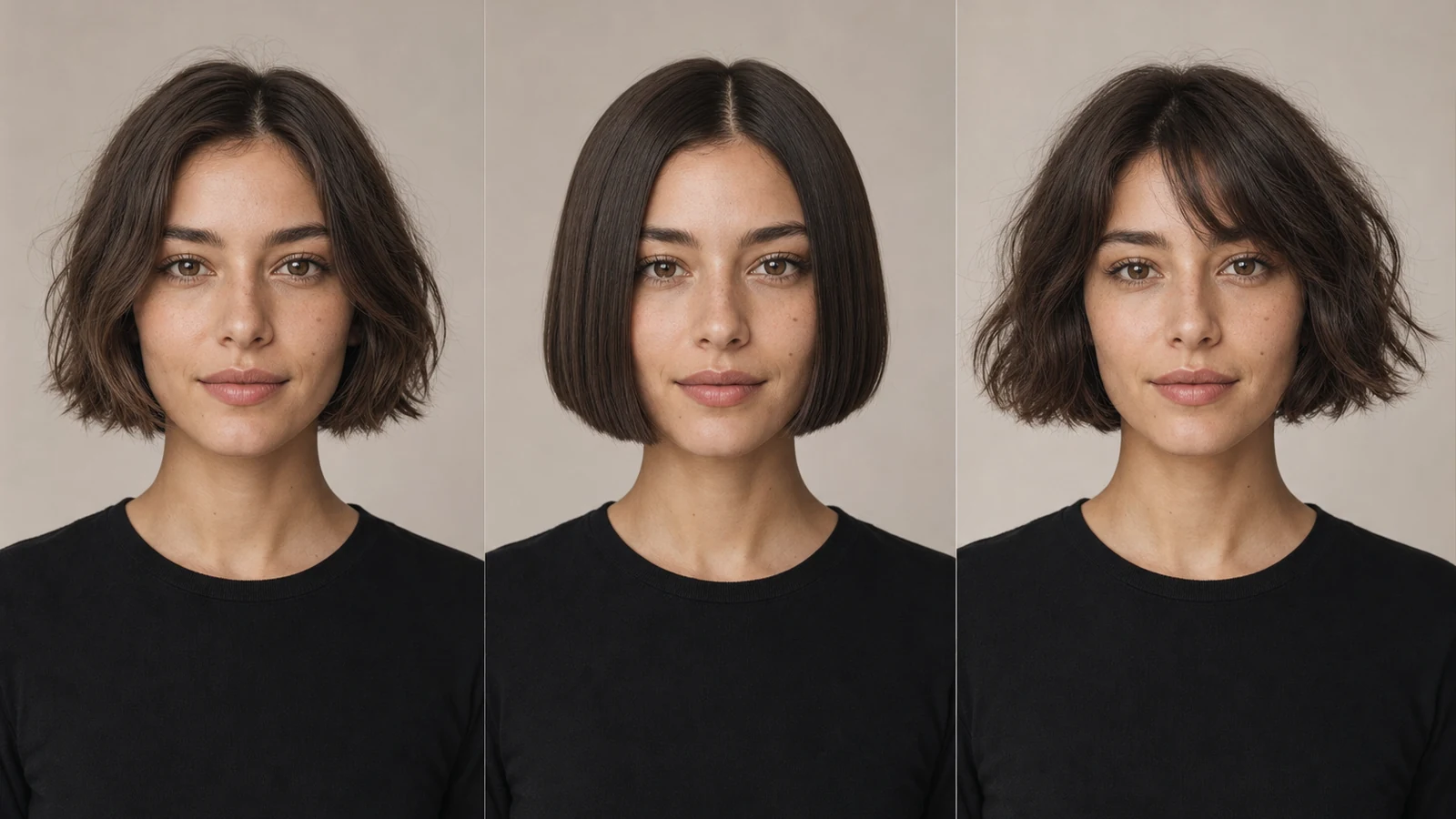
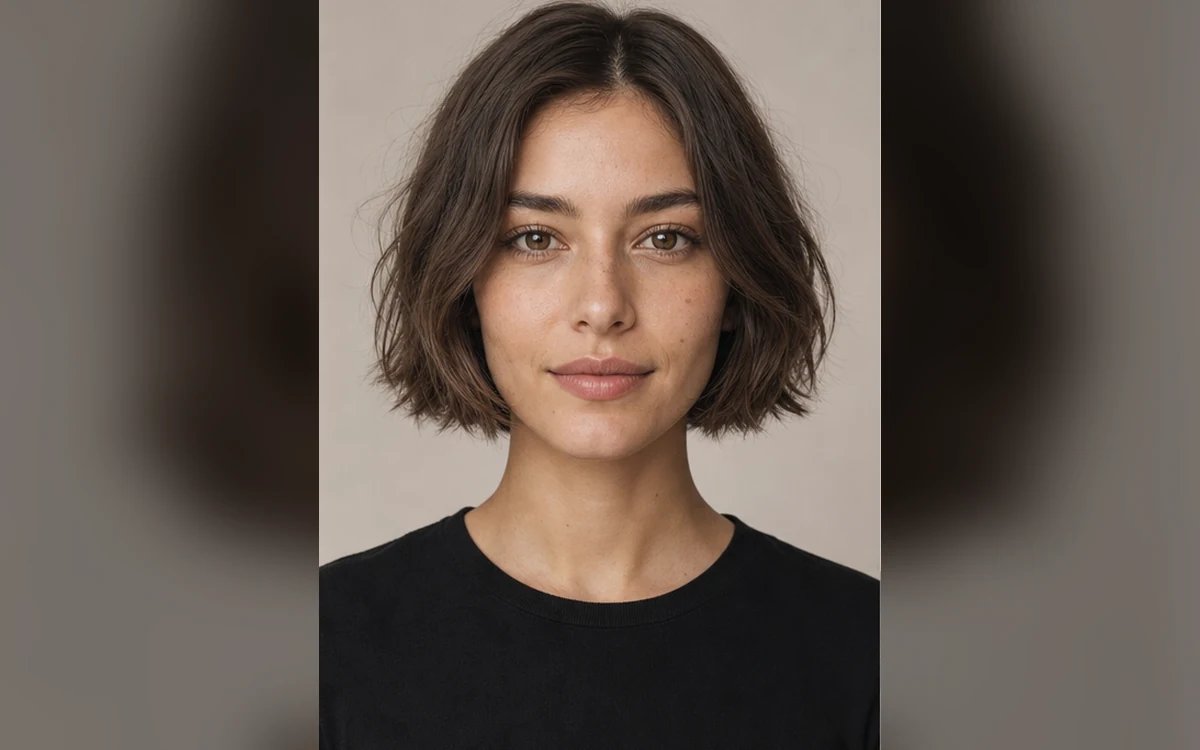
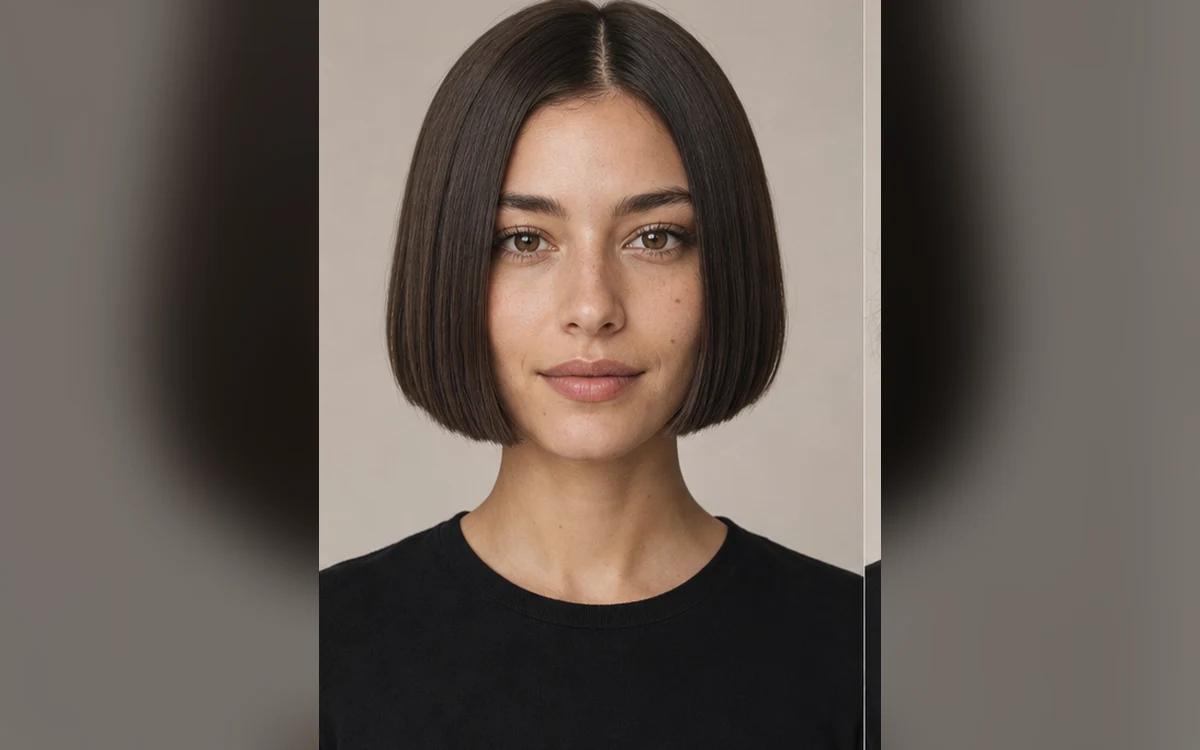
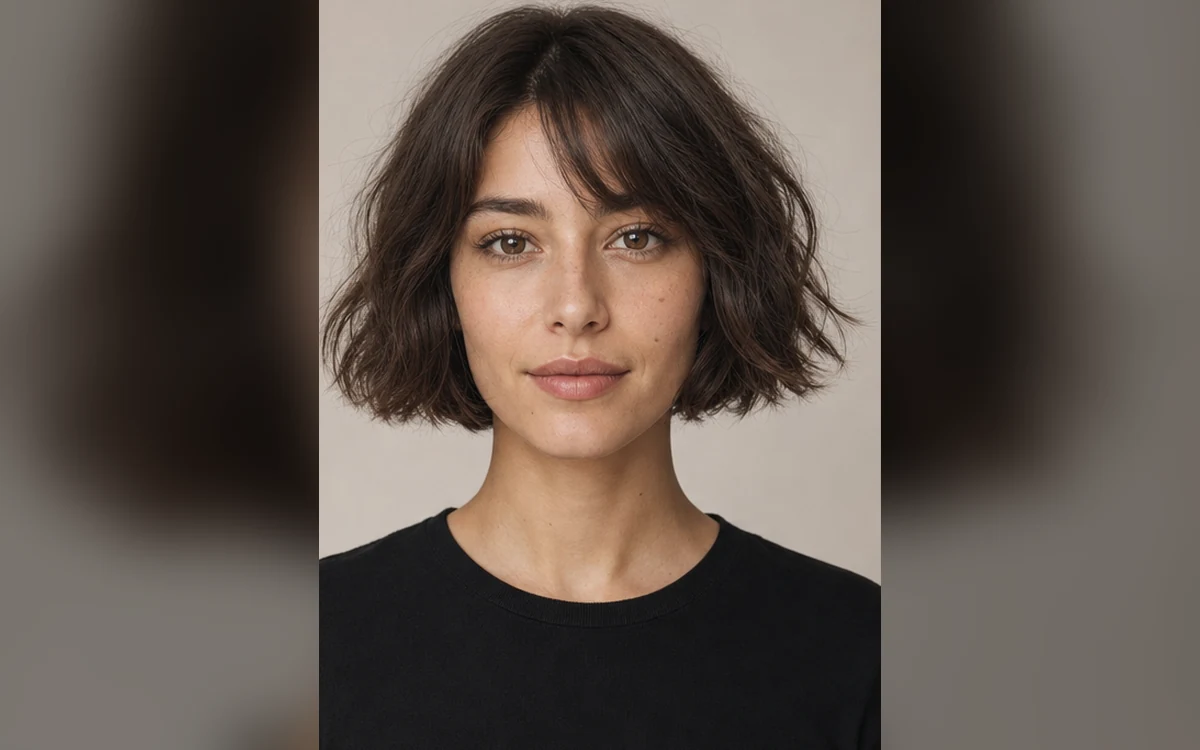
Preview a bob haircut on your photo example result created with PrimeArt
Example directions you can create
Scandi bob — Airy jaw-length shape with softly turned ends.
Japanese bob — Precise compact silhouette with polished natural texture.
Soft French bob — Chin-length texture with an understated light fringe.
How Preview a bob haircut on your photo works
Use a front or three-quarter portrait with the hairline, jaw and current length visible. A neutral background and even light make the new silhouette easier to evaluate.
Choose one bob family at a time. PrimeArt edits only the hair direction and preserves the face, expression, body, clothing and scene.
Prepare your photo and instructions
Choose a prompt below, adapt it to your photo and review the result in Studio. An account is required. Free image results include a PrimeArt watermark; paid image options are watermark-free and include 2K or 4K where shown in Studio.
Clear silhouette comparison — See how jaw-length, chin-length and collarbone-adjacent shapes frame the face.
Natural strand behavior — Keep believable density, parting, ends and movement instead of helmet-like hair.
Face and hairline preserved — Limit changes to the haircut while retaining recognizable facial detail.
Popular use cases
Scandi bob — Preview a clean, airy cut with softly turned ends.
Japanese bob — Try a precise compact shape with polished natural texture.
French-inspired bob — Explore a softer chin-length shape with light fringe.
Salon conversation — Create a visual reference to discuss, not a technical cutting guide.
Describe bob length and shape precisely
“Bob” covers many silhouettes. State the relationship to the jaw or chin, whether the weight line is blunt or soft, the parting, fringe and how the ends should move. Keep color fixed when the goal is comparing cut alone.
Length relative to jaw or chin
Blunt or softened weight line
Parting and fringe
Natural texture and end movement
Why a virtual haircut can drift
Hair generation may change face width, ears, neck or forehead while rebuilding the silhouette. Texture can also become too dense or too smooth for the source hair.
How to judge a bob preview
Compare the face and hairline first, then inspect the outline around cheeks, jaw, ears and neck. Consider whether the shown density and texture are realistic for your own hair.
Face shape is unchanged
Hairline stays natural
Both sides have coherent length
Density matches the source
Compare bob shape before changing color
A textured French bob and a long layered bob change different parts of the silhouette. Compare chin-level length, a soft fringe and the movement of the ends using the same source photo and original hair color. This makes it easier to judge the cut itself.
The generated preview is a visual idea to discuss with a stylist. Hair density, natural curl, shrinkage and styling affect the real result. Review the hairline, ears and facial proportions so a changed face does not influence your choice.
Keep the reference photo consistent
Describe length and fringe separately
Try color as a second comparison
Preview a textured French bob or layered bob
Change the cut while keeping the original hair color. Compare length, texture and fringe on the same reference before deciding which version to discuss with a stylist.
A textured French bob with a soft fringe
Start with: A sharp front or three-quarter adult portrait with the forehead, ears and full hair outline visible.
Preview a textured French bob on the uploaded adult. Change only the hair: use a soft chin-length outline, light internal texture and a delicate wispy fringe that follows the forehead without covering the eyes. Keep the original hair color and a plausible density and wave pattern for this person. Make the hairline, roots, strand direction and shadows agree with the head position and existing light. Preserve the exact face, age, skin tone, expression, body, pose, clothing, accessories, background and crop. Keep the whole hairstyle visible. Add no beauty retouching, accessories, text or other people.
Check the result: Compare the face with the source, then check the fringe, ears, roots and hairline. Confirm that the chin-length outline is visible on both sides.
Start with: A well-lit adult portrait showing the full head, neck and shoulders; avoid hats and hair hidden behind the shoulders.
Preview a long layered bob on the uploaded adult. Change only the hair, placing the overall length just above the shoulders with restrained internal layers, a soft face-framing shape and natural movement through the ends. Keep the source hair color, believable density and texture. Avoid making the top layer too short or creating disconnected strands. Match roots, hairline, occlusion and shine to the original head position and lighting. Preserve facial proportions, age, skin tone, expression, body, pose, clothing, accessories, background, camera angle and crop. Show the complete cut, with no added accessories, text or people.
Check the result: Check that the length sits consistently above both shoulders and layers connect naturally. Compare facial proportions, clothing edges and hair shadows with the source.
Use a portrait that shows the current hairline and jaw — A front or three-quarter view with even light makes length, parting and face framing easier to compare.
Choose one bob silhouette at a time — Specify jaw or chin length, weight line, fringe, parting and end movement. Keep hair color unchanged while comparing cuts.
Compare the preview with real hair behavior — Check the hairline, ear area, neck, strand direction and density. Use the image as a conversation aid rather than a technical salon plan.
Frequently asked questions
Can I try a bob haircut on my own photo?
Yes. A sharp portrait with the hairline and jaw visible gives the clearest visual comparison.
What is the difference between the bob presets?
The Scandi direction is airy with soft ends, the Japanese direction uses a compact precise line, and the French-inspired direction adds lived-in texture and light fringe.
Will the preview predict the exact salon result?
No. Real results depend on density, growth pattern, texture, condition and cutting technique. Use the image as inspiration for a stylist consultation.
How does the prepared Preview a bob haircut on your photo workflow continue in Studio?
A front or three-quarter view with even light makes length, parting and face framing easier to compare. PrimeArt carries this page's selected direction and format into Studio so you can begin with that specific setup instead of an empty prompt.
Open the prepared Preview a bob haircut on your photo setup
A front or three-quarter view with even light makes length, parting and face framing easier to compare. Continue to Studio with this page's specific direction and format already selected.