Create with PrimeArt
Turn your photo into a summer campaign
Create a sunlit vacation portrait with warm coastline light, elegant summer styling and a polished editorial finish.
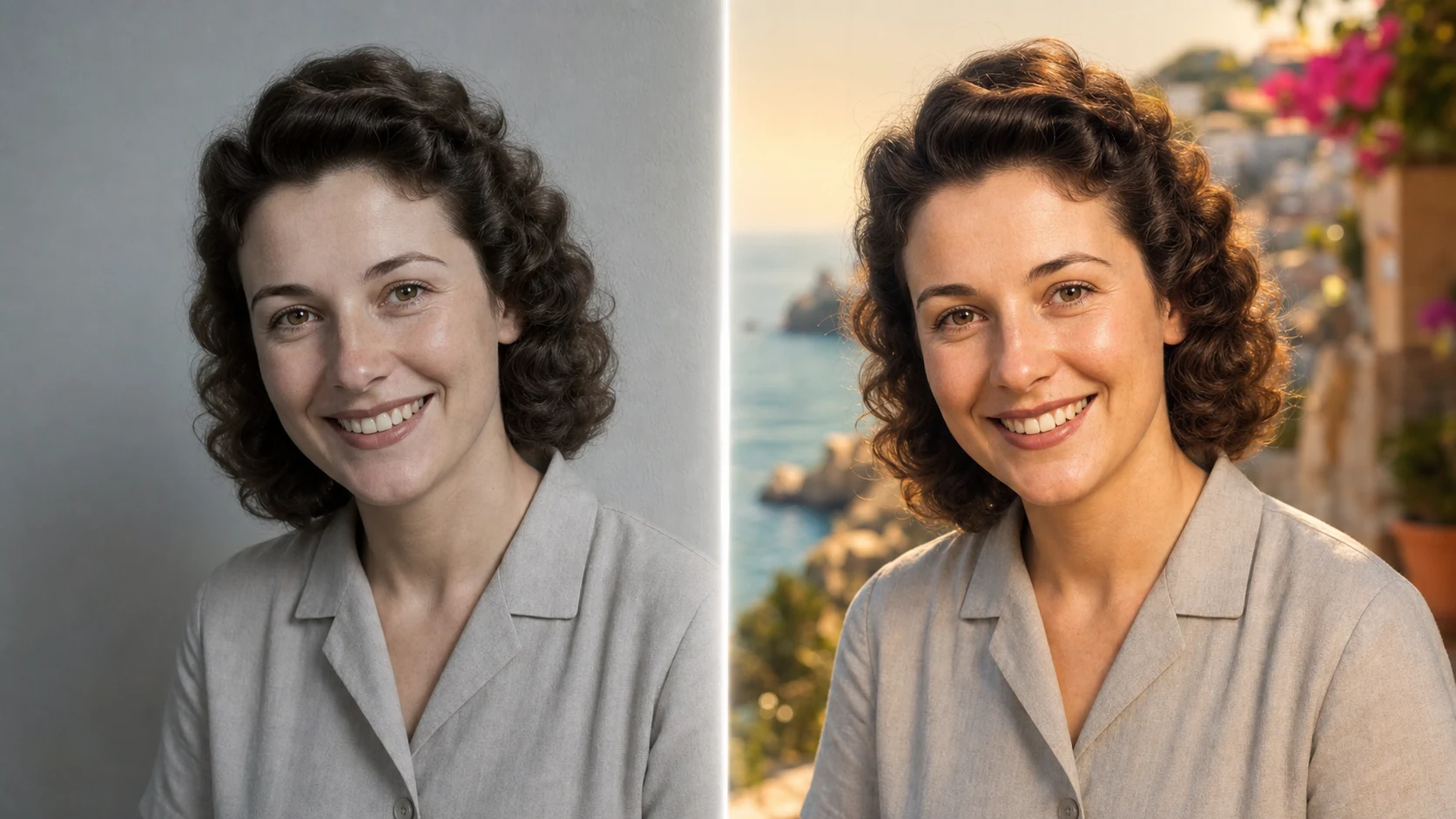
Example directions you can create
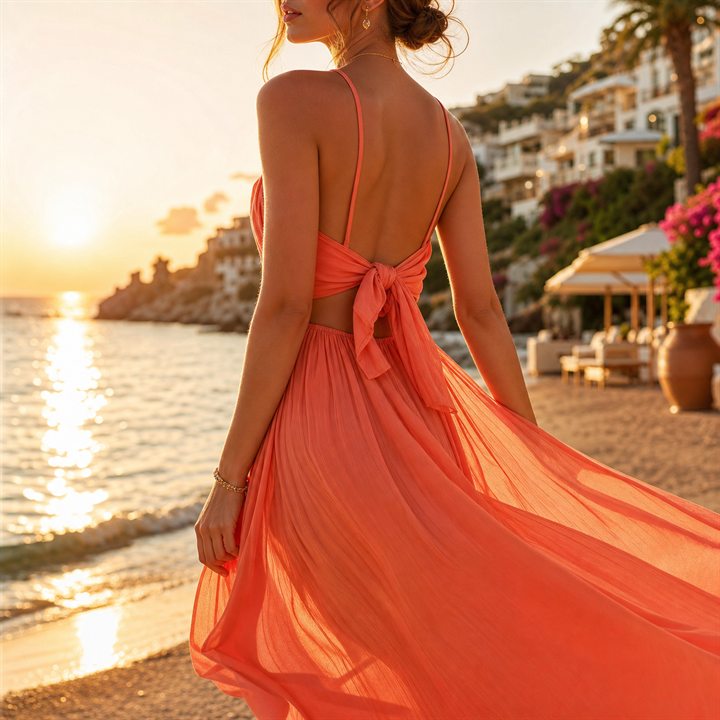
Golden Hour — Mediterranean coastline, warm rim light and elegant fabric. 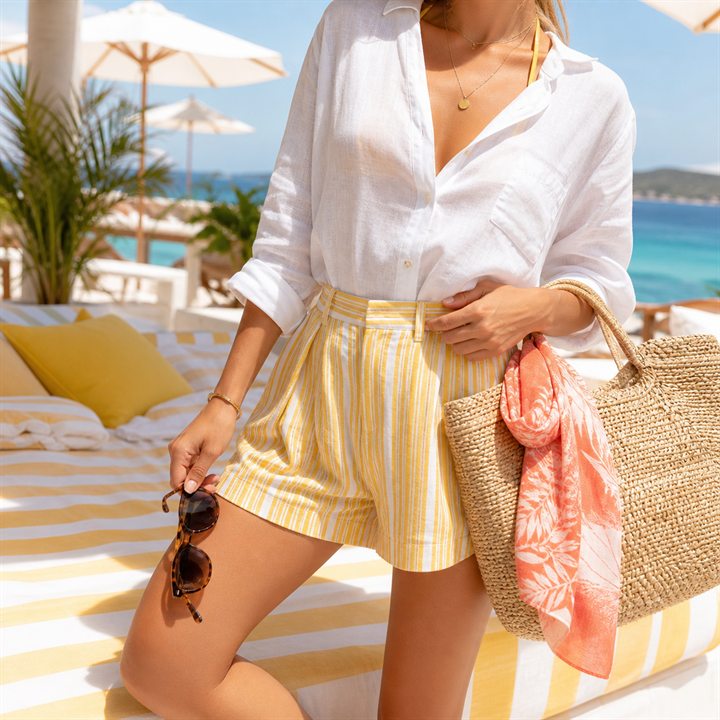
Beach Club — Crisp white linen and bright luxury-resort energy. 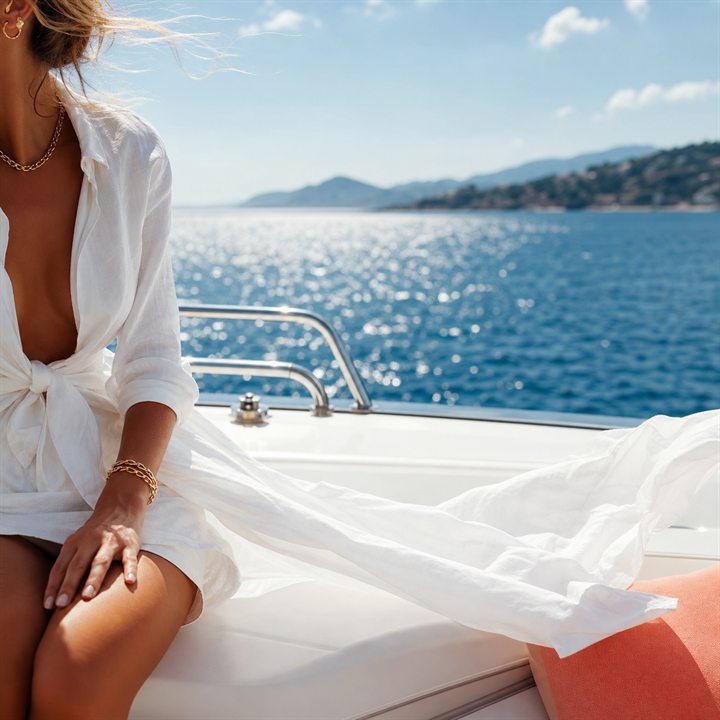
Yacht Day — Nautical styling on a clean white deck.
How Turn your photo into a summer campaign works
Use a clear full-body or three-quarter portrait when the face and outfit should stay recognizable. PrimeArt adds the travel setting, light and premium summer atmosphere around the subject.
The Golden Hour preset and vertical portrait format are selected automatically when you continue from this page.
What you can create
- Golden-hour light — Add warm rim light, glowing reflections and a polished Mediterranean palette.
- Vacation editorial mood — Move beyond a basic filter with setting, styling and cinematic composition.
- Social-ready portrait — Start in a vertical format that works naturally for stories and profile-led content.
Popular use cases
- Vacation posts — Create a bright travel-inspired portrait without arranging a destination shoot.
- Summer campaigns — Develop a premium seasonal direction for a creator or personal brand.
- Golden-hour portraits — Explore warm beach light around an existing person.
- Seasonal profile refresh — Give a profile image a clean, aspirational summer feel.
Prepare a photo for a summer AI makeover
Choose a source with a clean silhouette, visible facial features and lighting that can plausibly blend with the requested sun direction. Decide on portrait, story or wide framing before generating.
- Keep the face sharp
- Leave room around the body
- Match the crop to the final use
Where a generated vacation image can drift
Strong backlight and reflective water can change skin tone, hair edges and facial detail. AI may also invent jewelry, alter fabric construction or create an inconsistent coastline.
Review more than the summer mood
Compare the face, body proportions and recognizable marks with the source. Inspect hands, fabric edges, shadows, horizon and reflected light at full size.
- Confirm facial likeness
- Inspect hands and clothing
- Check horizon, shadows and reflections
How to get started
- Start with a portrait suited to the crop — Use a sharp three-quarter or full-body photo when the outfit and silhouette should remain visible. Leave useful space around the subject for a new setting.
- Choose one summer direction — Describe the location, time of day, wardrobe mood and framing instead of mixing several unrelated vacation concepts.
- Check identity and seasonal details — Compare the face and body with the source, then inspect hands, fabric, horizon, reflections and skin tone.
Frequently asked questions
- What source works best for a summer portrait?
- Use an evenly lit photo with a visible face and enough of the body for the requested composition. Heavy blur, tight crops and deep shadows reduce control.
- Can the generator place me in another vacation setting?
- Yes. The scene and styling can be reimagined around the source, but the result is a generated concept rather than a record of a trip.
- Will my face and body remain exact?
- The prompt can prioritize identity and proportions, but generative edits may still shift facial detail, anatomy or clothing. Compare the output closely.
- How does the prepared Turn your photo into a summer campaign workflow continue in Studio?
- Use a sharp three-quarter or full-body photo when the outfit and silhouette should remain visible. Leave useful space around the subject for a new setting. PrimeArt carries this page's selected direction and format into Studio so you can begin with that specific setup instead of an empty prompt.
Open the prepared Turn your photo into a summer campaign setup
Use a sharp three-quarter or full-body photo when the outfit and silhouette should remain visible. Leave useful space around the subject for a new setting. Continue to Studio with this page's specific direction and format already selected.