Create with PrimeArt
AI Dating Profile Photos
Build a more balanced dating profile set with a clear main portrait, natural lifestyle variations and consistent, recognizable appearance.

Example directions you can create

Outdoor golden hour — Warm honest portrait with a relaxed natural smile. 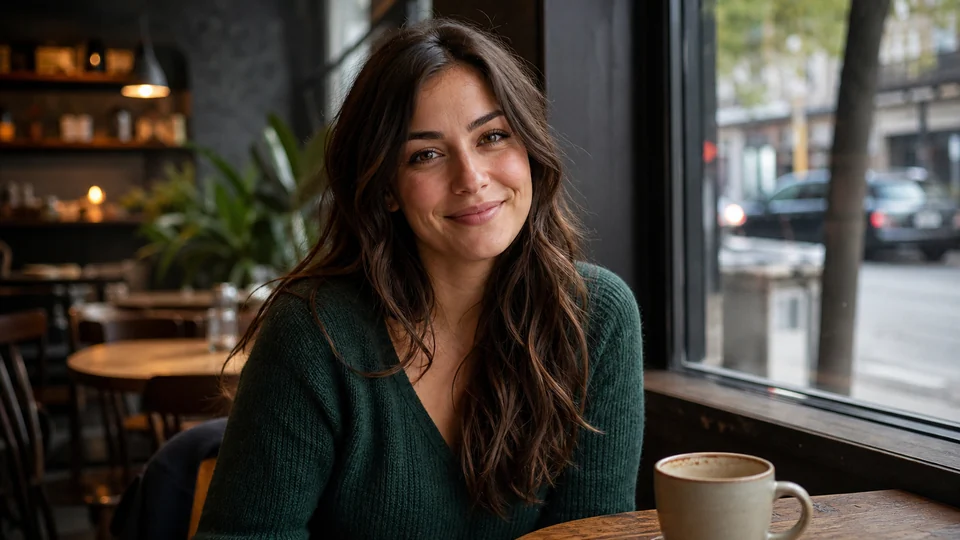
Natural café — Approachable lifestyle image in soft window light. 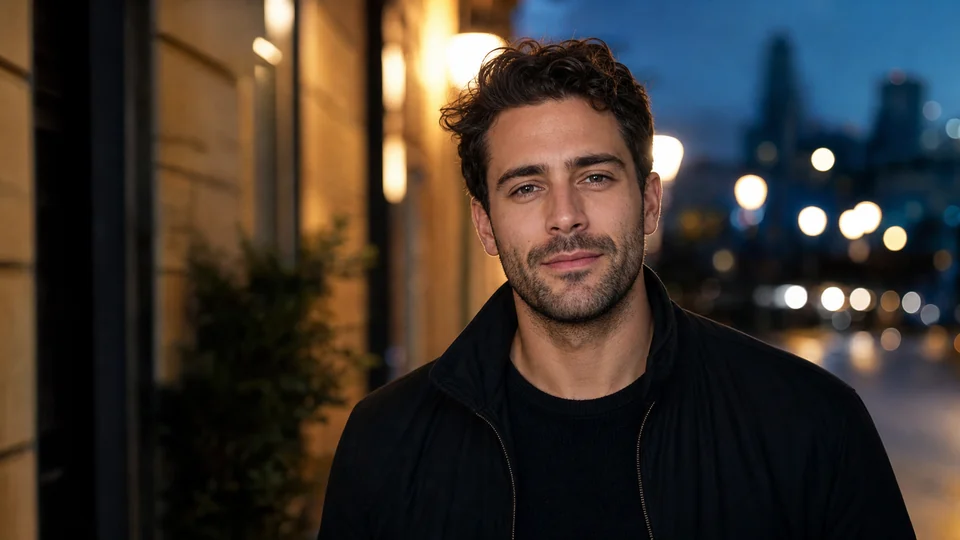
City evening — Confident urban portrait with tasteful cinematic light.
How AI Dating Profile Photos works
A useful dating profile needs more than several versions of the same close portrait. Plan a clear first image, one or two wider lifestyle frames and enough variation in crop and setting to make the set informative rather than repetitive.
Use recent source photos and keep generated changes believable. Start with one natural lead portrait, then use wider crop, wardrobe and setting variations to build a profile set without creating near-duplicates.
What you can create
- A clearer lead photo — Use an unobstructed, recognizable portrait as the first visual in the profile.
- More useful set variety — Compare close, medium and lifestyle framing instead of repeating one pose and background.
- Consistent identity — Keep age, facial features and body proportions believable across every generated concept.
Popular use cases
- Main profile portrait — Create a clear first image with a visible face, natural expression and limited background clutter.
- Lifestyle photo concept — Explore a wider believable setting without claiming an activity or location that is not real.
- Crop and wardrobe comparison — Test which framing and clothing direction supports the profile while still representing you.
- Profile-set planning — Review the images together and remove near-duplicates before choosing the final order.
Select recent inputs for a consistent dating photo set
Choose recent references with a clear face and appearance that matches how you look now. Similar age, hairstyle and facial hair across the sources reduce contradictions between generated concepts.
Avoid starting from a group photo, an old image or a heavily filtered selfie. A dating profile should not depend on viewers guessing which person or which version of the person is current.
- Use recent, recognizable source photos
- Keep hairstyle and age cues consistent
- Avoid group photos and heavy filters
- Plan close, medium and wider framing
Limits of AI dating profile concepts
A generated image can invent a location, activity, clothing detail or body feature. It cannot verify that a scene happened, predict profile performance or guarantee matches.
Keep the result honest enough that an in-person meeting does not conflict with the profile. Do not use generated settings to make false claims about lifestyle, travel, work or possessions.
Review the complete profile set, not one image at a time
Place the candidate images next to each other and check identity, age, body proportions and skin texture across the set. Remove repeated crops and scenes that communicate the same information.
Use a clear face in the lead image, then verify that wider concepts remain believable and add genuine variety. Reject any result with altered facial detail, distorted hands or an implausible background.
How to get started
- Upload a real photo of yourself — Use something recent so the result still feels like you to the person who sees it.
- Push toward a stronger dating impression — Aim for confident, clean, warm, stylish or candid-looking depending on your current gap.
- Use the best result where it counts — Swap it into dating apps and compare it against what you were using before.
Frequently asked questions
- Should every dating profile photo be a close portrait?
- No. A useful set usually combines a clear lead portrait with wider, varied images that add context without repeating the same crop.
- Should generated dating photos still look like me?
- Yes. Use recent references and reject results that materially change your face, age or body proportions.
- Do AI dating photos guarantee more matches?
- No. PrimeArt can help create and compare visual concepts, but it cannot guarantee profile performance or another person's response.
- Do I need an account?
- Yes. Create an account or sign in before opening Studio.
Generate a photo that earns the next swipe
Start from a real image and build a dating-profile photo that feels stronger, cleaner and more confident.