Create with PrimeArt
AI Face Swap Online
Upload a face reference and target media. PrimeArt matches identity, angle and lighting to blend the face into the new scene.
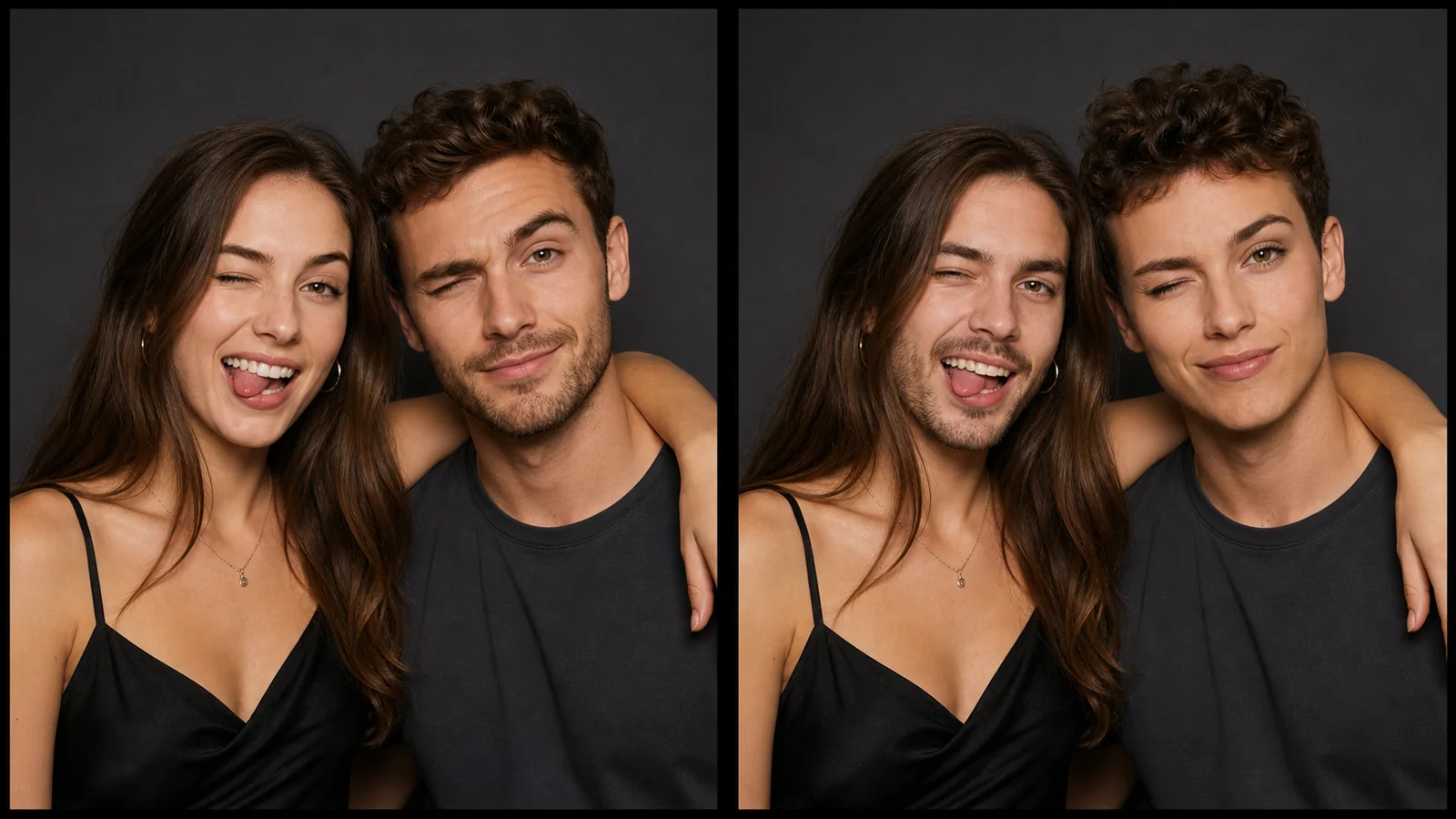
Example directions you can create

Cinematic astronaut swap — Blend your identity into an original spacecraft portrait with coherent skin tone, hairline, perspective and light. 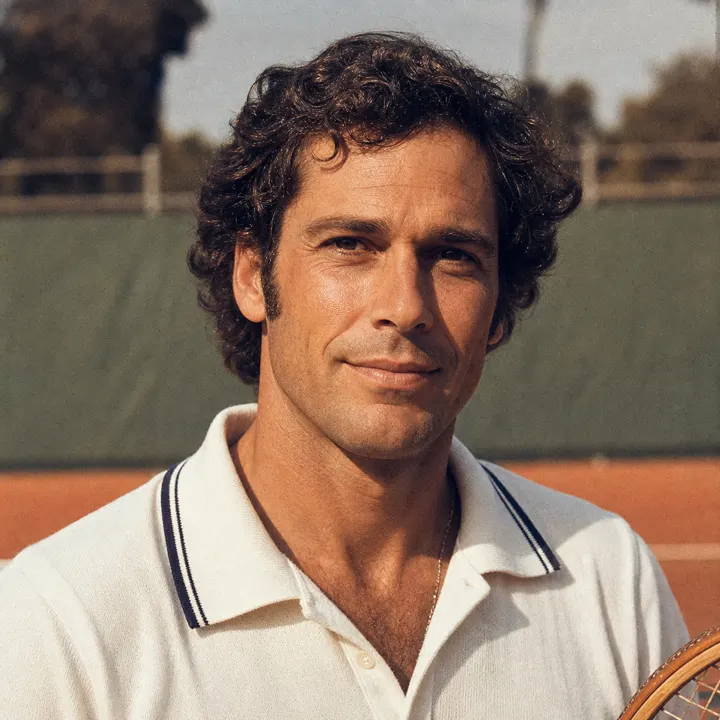
Retro tennis editorial — Place your face into a warm analog sports portrait while keeping anatomy, angle and period styling believable. 
Original fantasy royal — Create a dramatic, non-franchise royal portrait with seamless facial integration and realistic textile detail.
How AI Face Swap Online works
Use a clear face reference and a target photo or video. PrimeArt matches the face to the new scene while keeping pose, lighting and perspective as consistent as possible.
Results work best when both faces are visible, similarly angled and not covered by hair, hands or heavy shadows.
What you can create
- Shareable remix energy — Create visuals that feel made for reposts, reactions, comments and creator conversation.
- Character and aesthetic shifts — Push yourself into different vibes, worlds, fandom styles and content identities quickly.
- Profile-worthy experiments — Some swaps are not just jokes. They become avatars, profile updates or creator campaign visuals.
Popular use cases
- Trend remixes — Jump into internet-native formats without opening five separate tools or editing apps.
- Character swaps — Create anime, cinematic, fashion or fandom-adjacent remixes built around your own face.
- Meme content — Build funny, surprising or stylized visuals made for group chats, stories and social posts.
- Aesthetic face shifts — Use face swap as a path into glow-up, avatar and identity experimentation.
How to get a cleaner AI face swap
Choose a face reference and target image with similar camera angles, visible facial features and compatible lighting. Heavy shadows, hands across the face and extreme side profiles make a natural blend harder.
Review the jawline, hairline, skin tone, eyes and reflections before sharing the result. Only use media you have the right and consent to edit.
- Use clear, similarly angled faces
- Match light and expression where possible
- Review hairline, jaw and skin tone
- Use only authorized and consensual media
Extra limits to review in a video face swap
Moving footage adds frame-to-frame changes that a still image does not have. Fast head turns, motion blur, hands across the face, profile angles and changing light can cause the swapped face to flicker or lose alignment.
Watch the whole result rather than checking one frame. Pause around cuts, occlusions and the widest expressions to inspect identity, jawline, hairline and skin-tone continuity.
- Watch every cut and head turn
- Inspect frames with motion blur or obstruction
- Check jawline and hairline continuity
- Confirm the target media remains authorized
Responsible review before sharing a face swap
Use faces and target media only when you have the necessary rights and consent. Do not create deceptive, harmful or non-consensual material or imply that a real person participated in an event they did not attend.
Consider labeling a realistic swap when viewers could mistake it for authentic footage. Remove the result rather than publishing it when identity, context or consent remains uncertain.
How to get started
- Start with the face you want to remix — Use a selfie or portrait so the result feels more personal and share-worthy.
- Choose the concept or vibe — Aim toward creator trends, character looks, humor or stylized identity changes.
- Publish the best remix — Turn the strongest result into a shareable asset for socials, communities or creator drops.
Frequently asked questions
- Can I swap a face in a photo or video?
- Yes. Upload a clear face reference and supported target media, then review how identity, angle and light blend into the scene.
- What photos work best for face swap?
- Use sharp images with visible facial features, limited obstruction and a camera angle close to the target face.
- Can I face swap another person without permission?
- Do not use someone’s likeness without the necessary permission or create deceptive, harmful or non-consensual media. You are responsible for the source files and resulting use.
- Do I need an account?
- Yes. Create an account or sign in before using Studio.
Remix your face into something worth sharing
Start with your own photo and build a face-swap visual that feels current, internet-native and postable.