Create with PrimeArt
Redesign your garden from a photo
Visualize planting, paths, lighting and outdoor living areas while keeping the real boundaries, buildings and perspective recognizable.
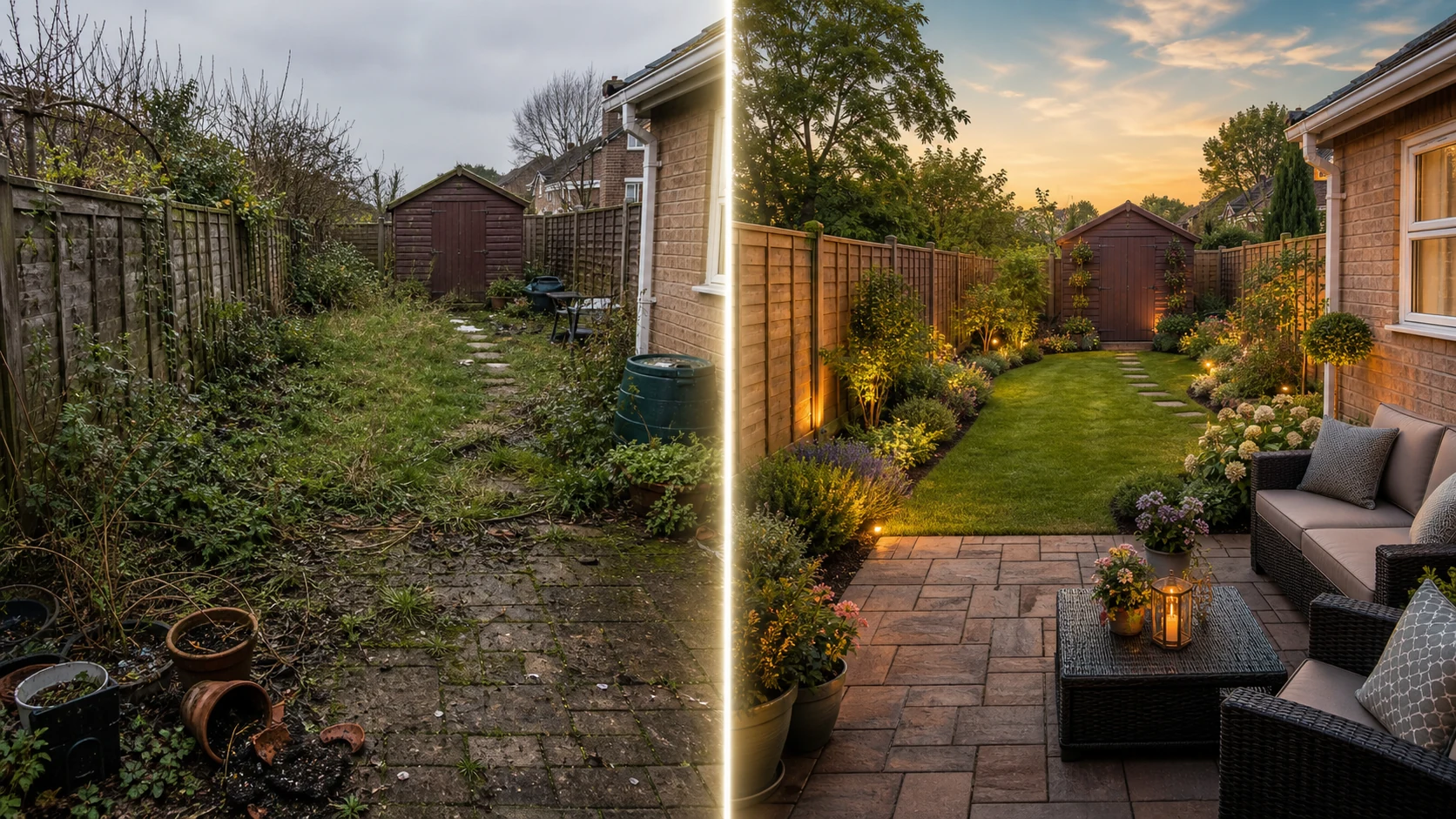
Example directions you can create
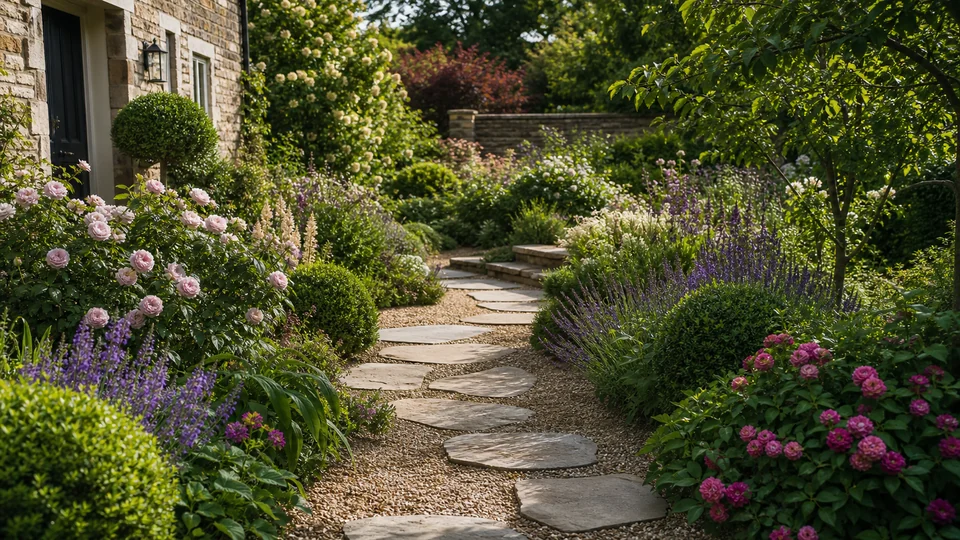
English cottage — Layered flowers, soft paths and abundant greenery. 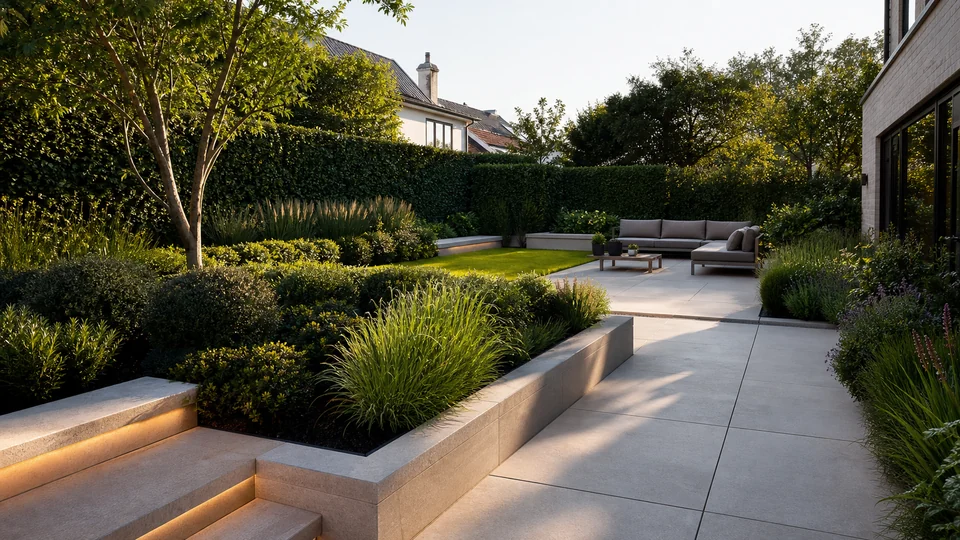
Modern minimal — Structured planting, clean paving and architectural light. 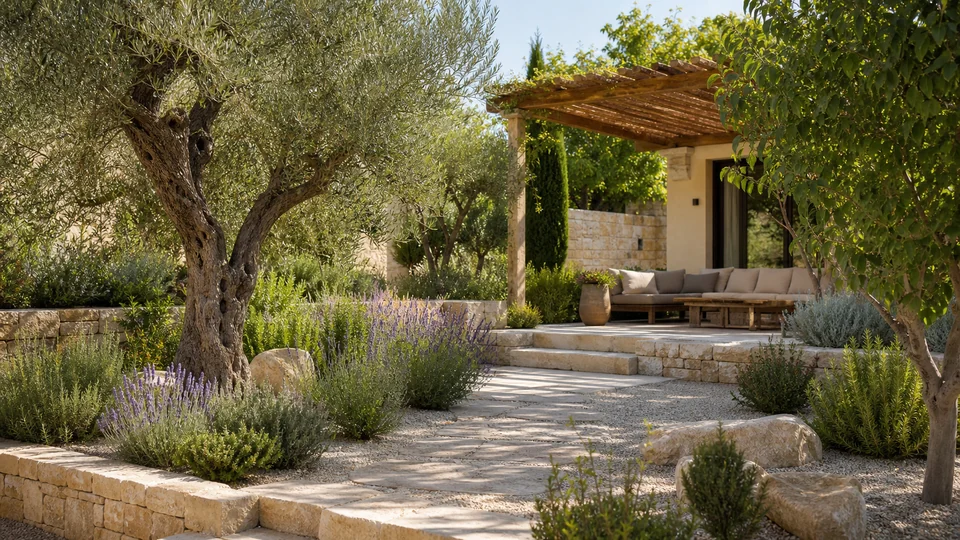
Mediterranean — Warm stone, herbs, olive tones and relaxed seating.
How Redesign your garden from a photo works
Photograph the full outdoor area in even light and identify any fixed elements that must stay: walls, mature trees, doors, utilities or property boundaries.
PrimeArt opens Studio with a landscape-format garden brief focused on coherent planting and buildable-looking layout ideas.
What you can create
- Coherent outdoor plan — Coordinate plants, hardscape, lighting and seating in one direction.
- Real boundaries retained — Keep the house, fence, mature trees and camera perspective stable.
- Seasonal mood testing — Explore lush, low-maintenance, modern or naturalistic planting styles.
Popular use cases
- Backyard makeover — Test new zones for dining, relaxing and planting.
- Front garden — Improve the path, entrance and curb appeal.
- Low-maintenance concept — Explore restrained planting and durable materials.
- Outdoor lighting — Visualize warm path, facade and seating light.
Show the site, not just one flower bed
Include property edges, access routes, buildings and mature vegetation. Even daylight and a level camera make distance and terrain easier to interpret.
- Visible boundaries and fixed features
- Wide view with ground levels
- Minimal obstruction
Garden visualization has no site data
AI does not know soil, sun path, utilities, drainage, regulations or maintenance capacity. It can also place plants at an unrealistic mature scale.
Test the concept for spatial credibility
Check paths, gates, tree locations, slopes and building access against the source. Review plant scale, seasonal appearance and whether circulation still works.
- Preserve boundaries and access
- Check mature plant scale
- Verify feasibility with local expertise
How to get started
- Photograph the full garden area — Use a wide, level image that shows boundaries, paths, buildings, mature plants and changes in ground level.
- Name fixed elements and practical goals — State what must remain, then describe use, style, planting density, hardscape and the areas you want to explore.
- Check the concept against the real site — Compare boundaries and levels with the source. Verify climate, mature plant size, drainage and construction separately.
Frequently asked questions
- Is an AI garden image a landscape plan?
- No. It is a visual concept and does not include measured layout, soil, drainage, utilities, climate suitability or construction detail.
- Can existing paths, trees and fences remain?
- You can specify them as fixed, but the model may still move or resize features. Compare every boundary with the source.
- Will the suggested plants grow in my location?
- The image cannot verify species, hardiness, sunlight, soil or mature size. Use a local planting plan before purchasing.
- How does the prepared Redesign your garden from a photo workflow continue in Studio?
- Use a wide, level image that shows boundaries, paths, buildings, mature plants and changes in ground level. PrimeArt carries this page's selected direction and format into Studio so you can begin with that specific setup instead of an empty prompt.
Open the prepared Redesign your garden from a photo setup
Use a wide, level image that shows boundaries, paths, buildings, mature plants and changes in ground level. Continue to Studio with this page's specific direction and format already selected.